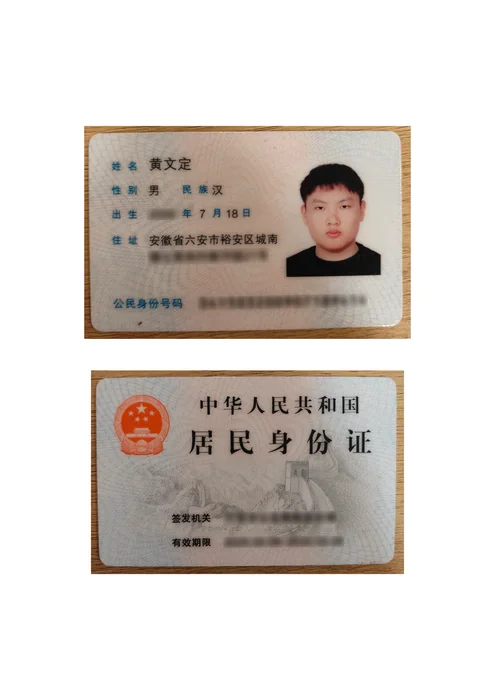
Put the front and back of an ID on one page
Arrange two ID photos on an A4 or Letter sheet in your browser. Add a purpose watermark and save as PDF, JPG or PNG. Free, no signup and no file uploads.
- Processed on your device
- Free to use
- No account needed
How it works
- Choose exactly two images: the front first, then the back. PNG, JPG and WebP are supported.
- Choose A4 or Letter and review both sides. Adjust their order and add a tiled purpose watermark if needed.
- Choose PDF, JPG or PNG. Prepare the result, check both sides are readable, then download a new copy.
Both images are scaled proportionally with margins and a gap. The tool does not crop or stretch a side, and does not detect or correct the edges of a photographed card.
Use this layout when a recipient asks for both sides on one sheet. Confirm their file format and watermark requirements first.
Processed on your device
Local-first file processing means the browser reads and processes the files you choose on your own device. LocalMark does not send image or PDF contents to a processing server. Opening the website still downloads its pages and tool resources.
Local-first tools. Your files stay on your device.A few things to know.
Can I use more than two images?
This layout requires exactly two images. For a larger set, use images to PDF to put each photo on its own page.
Can I add a purpose watermark?
Yes. Keep the watermark enabled and use text for the recipient, purpose and date. Preview the whole sheet to avoid obscuring information the recipient needs.
Are my files uploaded?
No. Image and PDF processing happens in your browser.
Do I need an account?
No sign-up or payment is needed for these tools.
Can I keep working offline?
Use “Prepare offline” to download the tool. Keep this tab open while working.
What happens to my original?
Your original is not overwritten. Download a separate processed copy.