Secure PDF Watermark, Free & No Signup
Add a text watermark to a PDF without uploading it. Free browser-local processing, no registration, tiled watermarks and page previews before download.
- Processed on your device
- Free to use
- No account needed
How it works
- Choose one PDF and wait for its page preview to load.
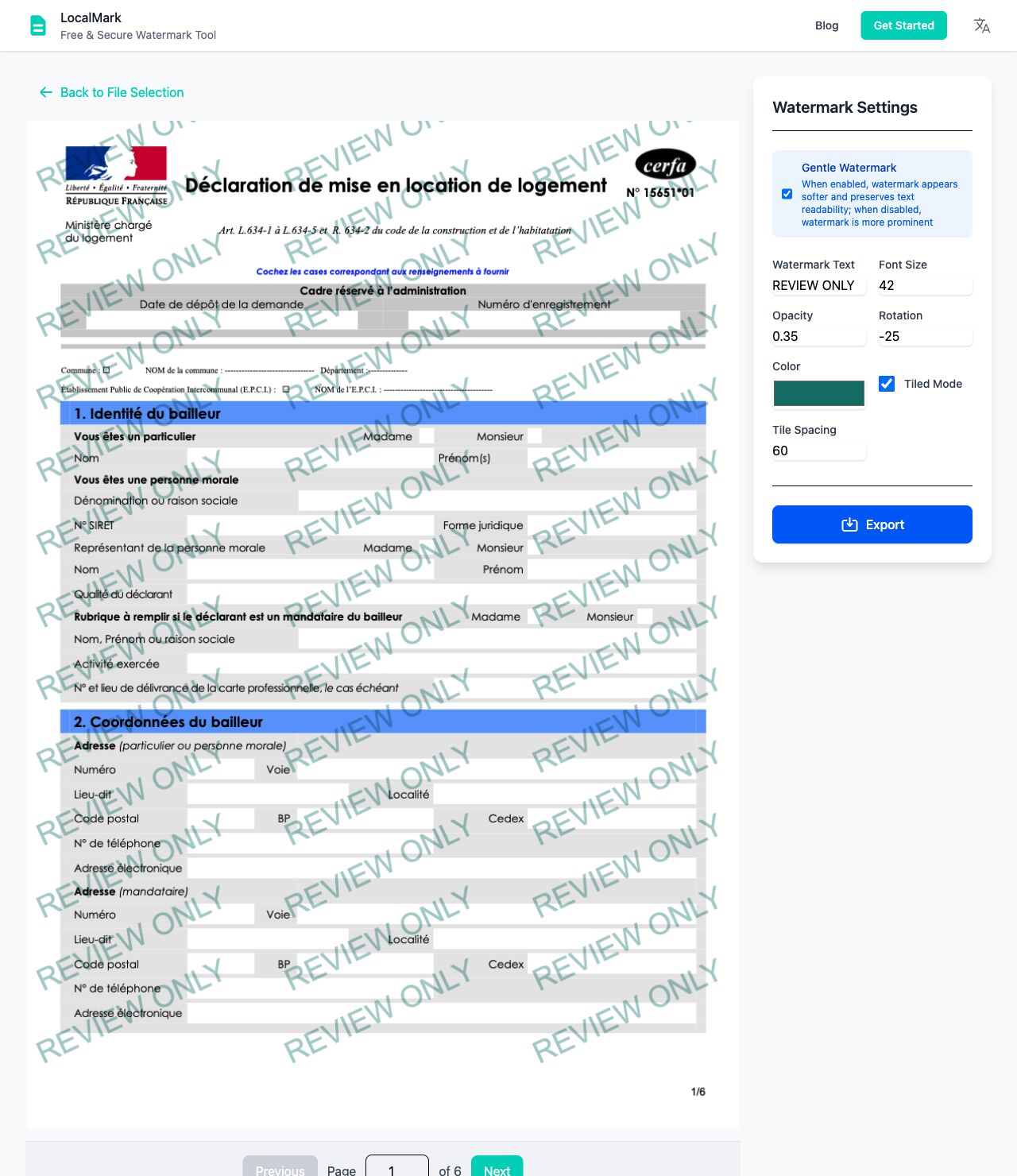
- Enter watermark text and adjust size, color, opacity and rotation. Enable tiled or gentle mode if useful.
- Review the pages, then download your watermarked PDF.
Label drafts, contract copies or presentation handouts with text such as “Review only”. Process one PDF at a time with shared settings across its pages. LocalMark currently adds text watermarks; image and logo watermarks are not supported.
Watermark preview example
Adjust the text, opacity and angle to keep both the watermark and your content clear.
Your files stay on your device
Local-first file processing means the browser reads and processes the files you choose on your own device. LocalMark does not send image or PDF contents to a processing server. Opening the website still downloads its pages and tool resources.
Local-first tools. Your files stay on your device.Large documents need more memory. PDF export turns each page into an image, so selectable text, links and editing features may not be preserved. Keep your original document.
A few things to know.
Are my files uploaded?
No. Image and PDF processing happens in your browser.
Do I need an account?
No sign-up or payment is needed for these tools.
Can I keep working offline?
Use “Prepare offline” to download the tool. Keep this tab open while working.
What happens to my original?
Your original is not overwritten. Download a separate processed copy.